
CJdropshipping Tracking in Shopify (October 2026 Update)
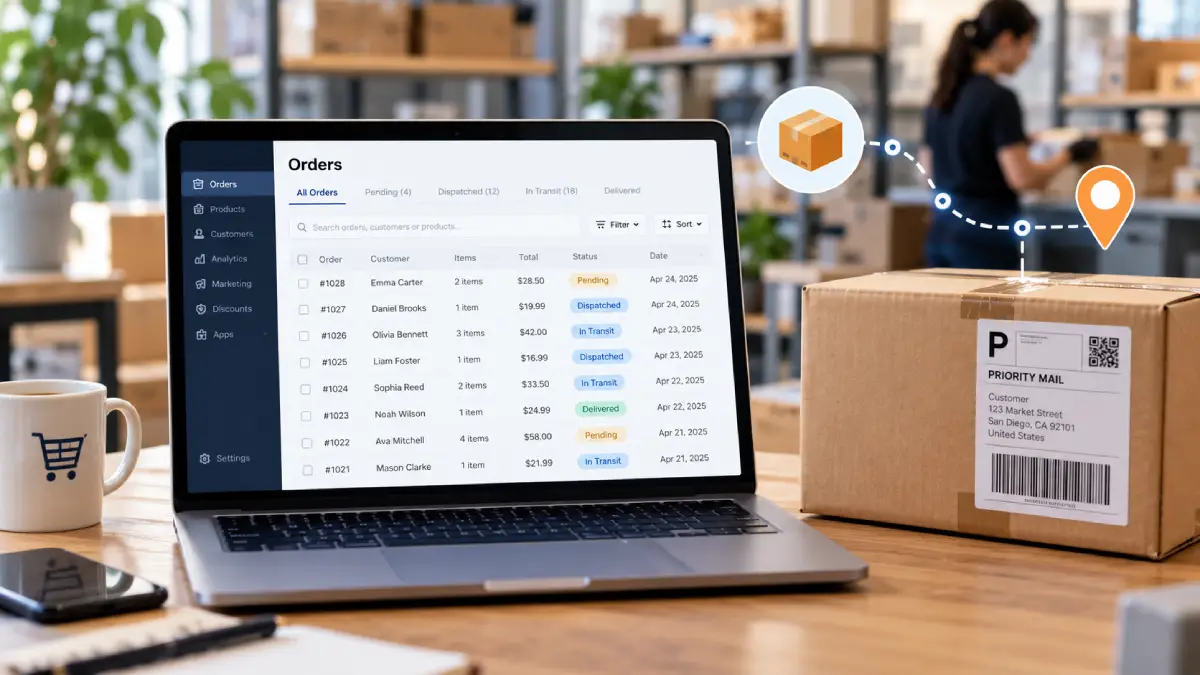
CJdropshipping tracking is now easier to check in Shopify. The updated CJ Chrome extension shows your CJ order status, tracking details and delivery progress right inside your Shopify admin. That can save time. But it doesn’t fix slow shipping or tracking that’s wrong, so you still need to keep an eye on your orders.
CJ explained the changes in an update on 16 October 2026. It covered the Chrome extension, a redesigned dashboard and new tools for Temu sellers.
For Shopify store owners, the biggest win is simple: you can check where a CJ order is without jumping back and forth between two websites. So how much does it really help? And does it solve the tracking problems some sellers have complained about?
Key terms
- Dropshipping: You sell a product online, and a supplier (here, CJ) packs and ships it straight to your customer.
- Shopify admin: The back end of your Shopify store, where you manage products and orders.
- Tracking number: A code that lets you and your customer follow a parcel’s journey.
- Dispatch: When a parcel actually leaves the warehouse.
- Sync: When CJ automatically sends information, such as a tracking number, to your Shopify store.
How CJdropshipping Tracking Works with Shopify
CJ already syncs tracking numbers to Shopify and other connected stores. When a customer buys from you, the order can be pulled into CJ. CJ then buys, packs and ships the item. Once a tracking number exists, CJ can send it to your store automatically.
The key question is when that tracking number gets sent. CJ gives you two main choices:
- Sync before dispatching: The tracking number goes to Shopify before the parcel leaves the warehouse. CJ suggests this mainly for sellers who keep their own stock in CJ’s warehouse.
- Sync after dispatching: The tracking number only goes to Shopify once the parcel has actually been sent. CJ says this helps avoid complaints about tracking numbers that show no updates.
CJ also lets you choose which number is synced: the default tracking number, or the local courier’s number. That decides which carrier your customer sees in Shopify.
This matters because a tracking number existing does not mean the parcel has left the warehouse. CJ’s guide on how to sync tracking numbers explains each setting.
What the CJ Dropshipping Chrome Extension Does Now
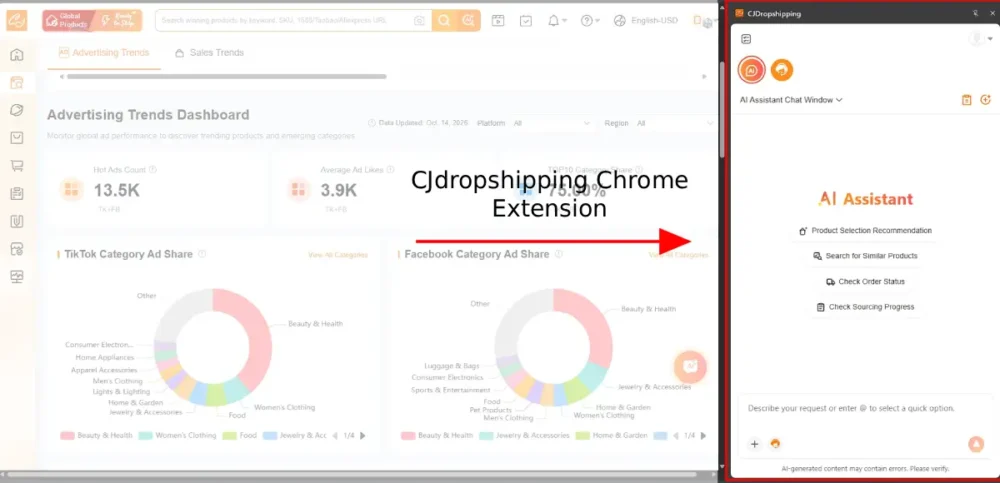
Install the extension and sign in to your CJ account. Then open your Shopify order list. You’ll see the matching CJ information for each order:
- CJ order status
- Tracking details
- Delivery (logistics) progress
Before this, you usually had to open CJ’s dashboard or a separate tracking website to see the same details.
The extension also has an AI chat feature. You can ask common questions about CJ without opening and logging in to the main CJ site.
To get started:
- Install or update the CJdropshipping Chrome extension.
- Sign in with your CJ account.
- Open your Shopify admin order list.
CJ’s Chrome extension guide has more setup help.
A note on timing: CJ announced these features on 16 October 2026. However, its help page for the extension, which mentions Shopify order status, was last updated on 17 August 2026. So the Shopify feature may have been available a little earlier than the announcement suggests.
Why this is useful
If you handle dozens of orders, switching between Shopify and CJ to answer “Where’s my order?” emails takes time. Seeing CJ’s information inside Shopify makes it quicker to spot problem orders.
But the extension mostly makes existing information easier to see. It doesn’t make tracking more accurate, parcels move faster, or delivery problems fix themselves. That’s important, given the complaints some sellers have made about CJ tracking.
What Sellers Are Saying About CJdropshipping Tracking
Many sellers are happy with CJ. On the Shopify App Store, the CJdropshipping app is rated 4.9 out of 5 from 2,917 reviews. Sellers often praise its support agents and help with finding products.
Trustpilot is harder to read. At the time of writing, it doesn’t show a rating for CJ. Trustpilot says the company broke its guidelines and that it removed a number of fake reviews.
Both sites also include complaints about tracking, slow shipping and order information. The most common worry is orders being marked as shipped before they’ve actually left the warehouse. Here are three examples:
- Reddit (August 2026): A Shopify seller said CJ had sent shipping details to Shopify while the order was still “pending” in CJ. Shopify then emailed the customer to say the order was on its way.
- Trustpilot (22 September 2026): A seller said six out of eleven UK orders still showed “Label created” on CJ’s dashboard. Their customers had already received “your order has shipped” emails for parcels still sitting in the warehouse.
- Shopify App Store (23 October 2026): A US seller said that even after orders were marked “shipped,” they had to check each tracking number by hand, because many items hadn’t been sent.
These are individual experiences. They don’t prove that every seller has the same problem. But CJ’s own review of customer experiences admits that some sellers report delayed packages, stock problems and slow fixes for complicated cases.
It’s also normal for new tracking numbers to show no updates for a while. CJ has said tracking information may be delayed because the delivery company needs time to process the parcel.
The lesson: a tracking number is not proof that a parcel is moving.
How to Stop Shopify Marking CJ Orders as Shipped Too Early
If you use CJ with Shopify, start by checking when your tracking numbers are synced. For most dropshipping stores, I’d recommend syncing after dispatch. That way, Shopify only tells customers their order has shipped once it really has. CJ explains how to change this in its guide to setting up tracking number sync rules.
Then build these checks into your routine:
- Confirm the order has actually been dispatched. Don’t rely on the tracking number alone.
- Check the right tracking number and carrier show in Shopify. Choose default or local tracking numbers to suit your customers.
- Look into orders where tracking has stopped updating. Don’t wait for the customer to complain first.
- Contact CJ quickly when order or delivery details don’t match up.
- Review your Shopify shipping emails. Make sure what your customer is told matches what’s really happening.
Above all, never tell a customer their order has shipped just because a tracking number exists. The extension makes these checks quicker, but it doesn’t do them for you.
CJ’s Dashboard Changes
CJ’s October update also describes a redesigned dashboard that aims to make everyday tasks simpler. The main sections are:
- My Products: One place for saved products. It replaces the old Wishlist, SKU List and Queue.
- Browse History: A list of products you’ve looked at, so you can find them again.
- Product Connections: Clearer “Connected” and “Not Connected” sections, showing which store products are linked to CJ products.
- 3PL Fulfillment: The new name for “Service Products”. This is CJ’s service for storing and shipping stock that you supply yourself.
There’s an important point about timing. CJ first announced several of these changes back in May 2024, including My Products, Browse History and the 3PL Fulfillment name. So the October 2026 post is best seen as a round-up of CJ’s current tools, not proof that every feature is new.
For existing users, the real benefit is knowing where familiar tools have moved. I’d also suggest checking your product connections whenever you add products or change variants. A wrongly matched product can cause far bigger problems than a confusing menu.
New Tools for Temu Sellers
The same update also adds tools for sellers who use Temu.
The Update Store Order Info button lets you pull the latest order details from Temu after an order has already been sent to CJ. For example, if you change the shipping method in Temu, you can refresh the CJ order before it’s processed. This only works for Temu orders.
CJ has also improved manual product listings for Temu. These include better category selection, product dimensions, size charts, model information, image cropping and pasting images to upload them.
These changes won’t affect you if you only sell on Shopify. But if you manage Temu orders through CJ, they should cut down on manual work.
My Verdict: A Useful Upgrade, But Keep Checking Your Tracking
The Chrome extension upgrade makes good sense. Anything that helps store owners keep track of supplier orders is welcome, especially when good customer service depends on accurate order information.
But seeing tracking information more easily isn’t the same as faster or more reliable delivery. That still depends on CJ and the delivery companies handling each parcel.
My advice: update the extension if you already use CJ. Check your tracking sync settings. Then test your order process before you rely on it. Pay close attention to when Shopify marks an order as fulfilled, and what your customer is told.
For dropshippers, good tracking isn’t just about knowing where a parcel might be. It’s about giving customers honest updates and fixing problems before they turn into complaints. If CJ’s new tools help with that, they’re worth using.
Frequently Asked Questions
Does the CJ Chrome extension work with Shopify?
Yes. Once you install it and sign in to your CJ account, it shows CJ order status, tracking details and delivery progress on your Shopify admin order list.
Why does Shopify say my CJ order has shipped when it hasn’t?
This usually happens when CJ syncs the tracking number before the parcel leaves the warehouse. Shopify may then send the customer a shipping email. Switching to “sync after dispatching” in CJ helps prevent this.
Should I sync CJ tracking numbers before or after dispatch?
For most dropshipping stores, after dispatch is safer. CJ suggests syncing before dispatch mainly for sellers who keep their own stock in CJ’s warehouse.
How long does CJ tracking take to update?
It varies by carrier and destination. New tracking numbers often show no updates at first while the delivery company processes the parcel. If tracking hasn’t moved for several days, contact CJ.
Does the CJ extension fix slow shipping?
No. It makes order and tracking information easier to see inside Shopify. How fast a parcel moves still depends on CJ’s warehouse and the delivery company.
Sources and Further Reading
- CJdropshipping Updates 2026: A New Dashboard, AI Chrome Extension, and Temu Improvements
- CJdropshipping: How to Sync Tracking Numbers?
- CJdropshipping: How to Set Up Tracking Number Sync Rules for Stores
- CJdropshipping: Sync Tracking Numbers Before or After Dispatch?
- CJdropshipping: Chrome Extension Guide
- CJ Elites: New CJ Dashboard 2024
- CJdropshipping: Customer Experience and Complaints Review
- Shopify App Store: CJdropshipping Reviews
- Trustpilot: CJDropshipping Reviews
- Reddit: Order Pending on CJ but Fulfilled on Shopify